The MCP connector by Optimo IoT connects Claude, ChatGPT and Mistral to your IoT and AIMS data
Claude
ChatGPT
Mistral
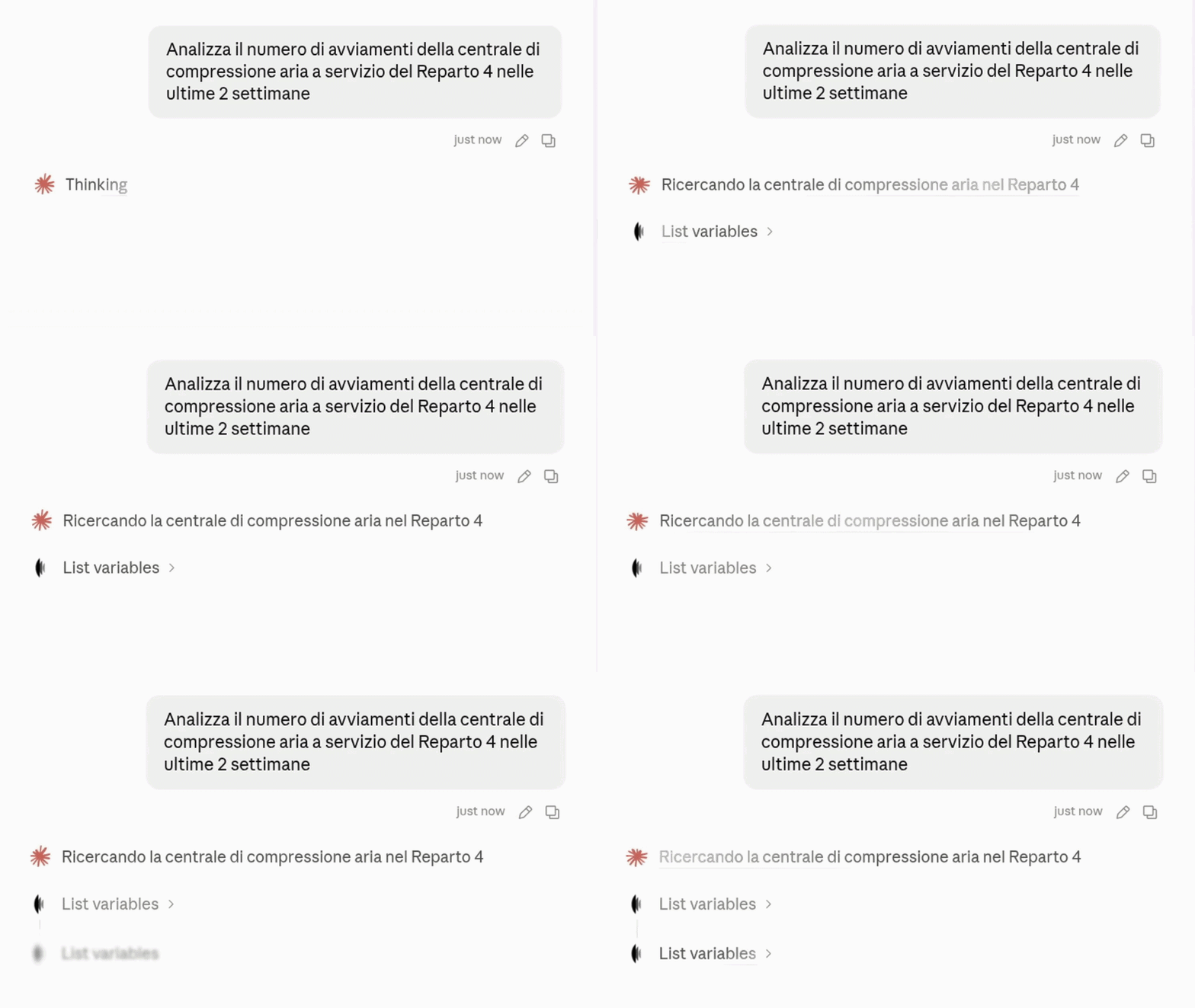
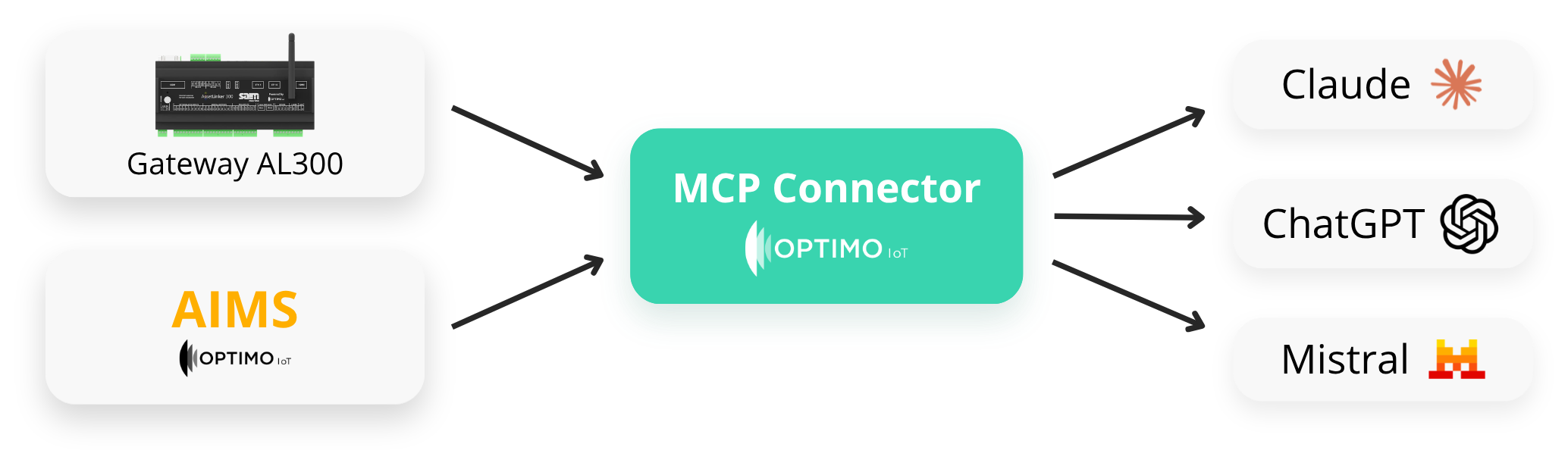
With the MCP connector developed by Optimo IoT you can now bring together and analyse the IoT data collected on site by the AL300 gateway and entered by operators in the AIMS platform, directly from an AI assistant such as Claude, ChatGPT and Mistral.
MCP connector: bring IoT and AIMS to your AI
The MCP connector brings together in real time two worlds that until now stayed apart: the IoT measurements collected on site by the AL300 gateways, and the information users record in AIMS — maintenance work, inspections, operating notes and documents.
Once your AI assistant is connected through the MCP connector by Optimo IoT, both sources can be queried together, in the same conversation, so you can analyse the data with the speed and analytical power of an AI system
Switch on the MCP connector in 4 simple steps
1.
You authorise access
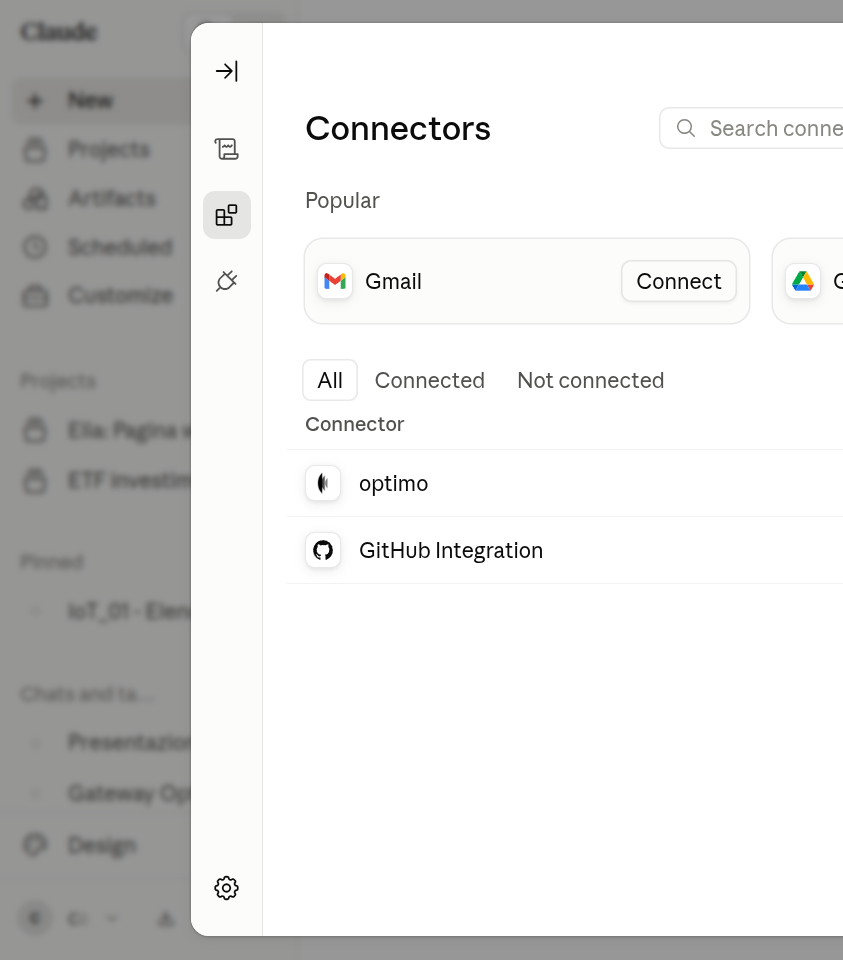
Connect your AI assistant — Claude, ChatGPT or Mistral — to the Optimo IoT platform by authorising access through the login on cloud.optimoiot.it. Installation guide
2.
The AI reads assets and variables
The assistant obtains the structure of your plants (the asset tree), the list of monitored variables and their metadata: units, configuration, position within the plant. The whole monitoring structure is now visible to the AI
3.
The AI reads IoT history and AIMS records
From this point the AI can query both the IoT time series collected by the AL300 gateway, raw and aggregated, and the operating logs recorded in AIMS: maintenance, inspections, notes.
4.
You run the analysis
Use your prompting skills to analyse the data collected by Optimo IoT in real time through your AI assistant. You write the prompt and your AI assistant handles the rest: it calculates, correlates and returns trends, deviations, energy calculations or periodic analysis reports — always read-only on the platform’s data.
What the Optimo IoT MCP connector
The Optimo IoT MCP connector exposes eight analysis tools, all read-only. The AI assistant uses them to explore the plant structure, read variable values (current, historical or aggregated) and look up the work recorded in AIMS.
No tool can write, modify or delete data or configuration.
| Tool | What it does |
|---|---|
get_asset_tree | Reads the asset hierarchy: companies, plants, machines, measurement points, PLCs. |
list_variables | Lists the variables with units, decimals, minimum, maximum, type and metadata. Can be filtered by group or by text search. |
get_variable_latest_value | Reads the last recorded value of a variable. |
get_variable_raw_value_history | Reads the raw history of a variable over a time range. |
get_variables_raw_value_history | Reads the raw history of several variables in a single request. |
get_variable_aggregated_history | Reads the aggregated history of a variable, with configurable interval and function. |
get_variables_aggregated_history | Reads the aggregated history of several variables in a single request. |
get_asset_log | Reads the maintenance logs recorded in AIMS for an asset and its descendants. |
Endpoint and authorisation
The endpoint of the Optimo IoT MCP connector is https://mcp.cloud.optimoiot.it/mcp.
The connection requires the user’s explicit authorisation through a login on cloud.optimoiot.it: the AI assistant inherits exactly that user’s permissions and reaches only the assets visible to them.
Typical applications
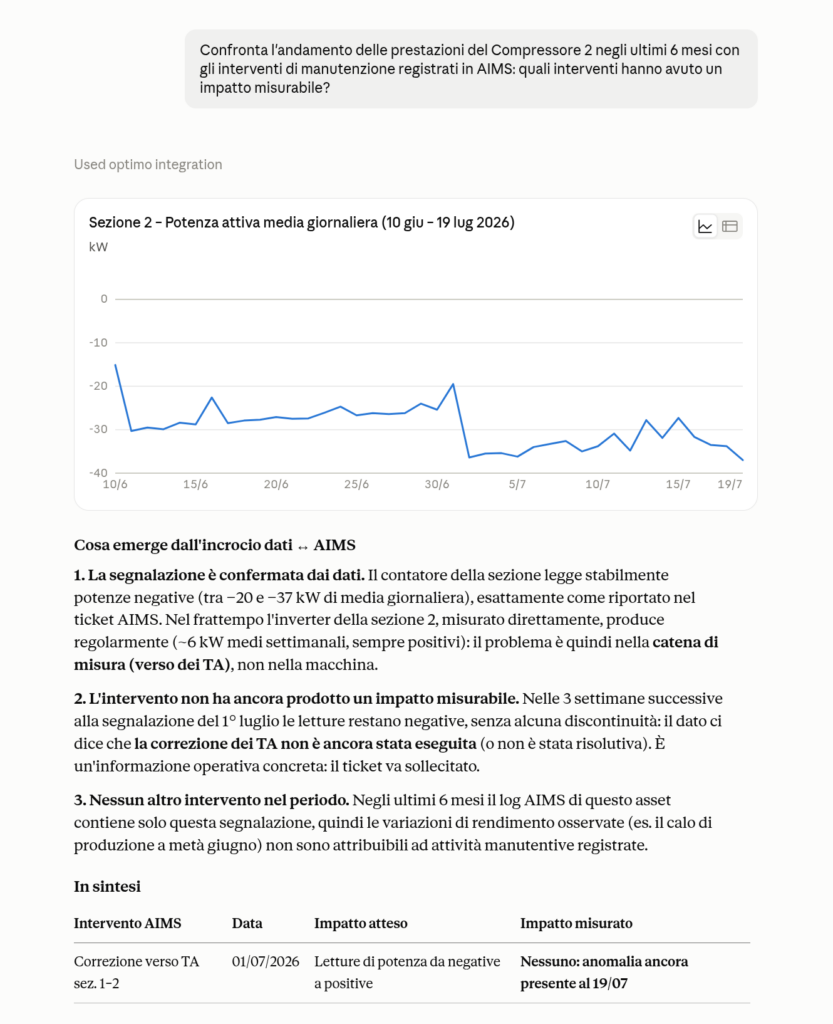
The Optimo IoT MCP connector makes possible analyses that would otherwise mean manual exports and complicated spreadsheets: long-term trends, deviation analysis, energy calculations, combined reports across several assets and scheduled recurring analyses, or analyses that correlate very different things, including data from outside Optimo IoT (weather data, energy price movements or raw material figures, for instance)
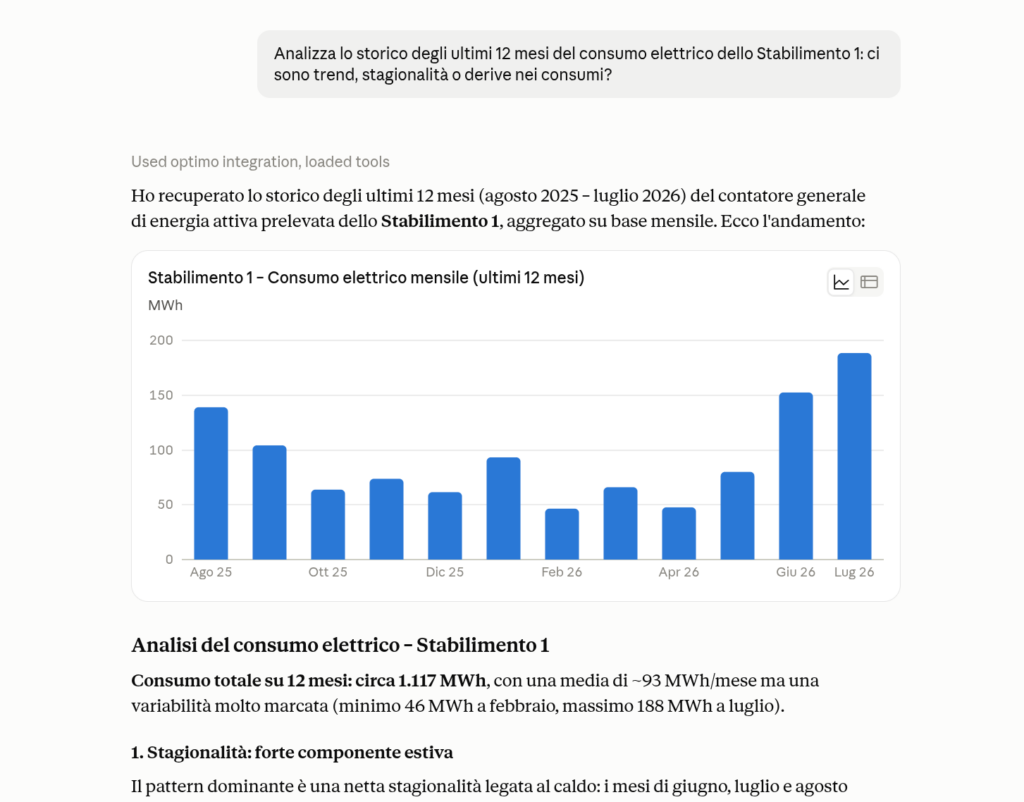
Long-term trend analysis
Ask the AI to read months or years of IoT variable history and pick out trends, seasonality and drift in consumption or performance, without exporting anything by hand from the AL300.
Deviation analysis
Compare expected and actual values for consumption, output or process parameters, and surface the anomalies most worth looking into with your technical team.
Correlate the data measured by Optimo IoT with outside sources such as weather data, energy costs or production records.
Energy calculations
Have the AI work out consumption, efficiency and energy performance from the platform’s current and historical data — useful for energy audits and assessments.
Example: upload your site’s energy assessment to your AI assistant and let it sort the loads monitored by the AL300 into the various SEUs (Usi Energetici Significativi, the significant energy uses defined by Italian rules) and work out the monitoring percentages required by the ENEA guidelines
Building advanced reports
Generate reports to your own specification: text, tables or charts, combining data from several assets, several periods and the AIMS logs into one document ready to share.
Example: ask your AI directly to check how the latest maintenance work is progressing in the AIMS digital logbook and identify the most critical jobs to prioritise
Analyses scheduled at regular intervals
Set up recurring analyses (weekly, monthly) that the AI runs on its own, keeping plants and KPIs under control over time without you having to repeat them by hand.
Example: set up scheduled tasks in your AI to analyse the production records and calculate KPIs automatically for each production site, from the data of every site monitored through the AL300 gateway
Example questions for the MCP connector
These are just some of the questions an AI assistant connected to the Optimo IoT MCP connector can answer on its own, with no manual exports from the platform, saving you time and letting you concentrate on the higher-level analysis that actually adds value
Compare compressor 2’s electricity consumption last quarter with the same period last year and tell me whether the difference fits with the maintenance recorded in AIMS
Calculate the heating plant’s average monthly efficiency over the last 24 months and flag the months that fall outside the trend
List every variable of the photovoltaic plant with its unit and tell me which ones have recorded no data for more than seven days
How many hours was line 3 in alarm during September? Cross-check that against the maintenance work in the same period
Calculate the heating plant’s average monthly efficiency over the last 24 months and flag the months that fall outside the trend
Prepare a monthly consumption report for each of the three plants, with a summary table and the percentage change on the previous month
Check whether the preventive maintenance programme for the electrical panels was carried out on schedule over the past year
Who the MCP connector is for
The Optimo IoT MCP connector is built for people who work with plant data without being analysts: everyone in the company can question the platform in their own words, with their own goals, without going through intermediate reports.
Production managers
The line’s specific consumption is 6% worse this month: is that the production mix or one machine?
The assistant cross-references the energy meters with machine states and recorded work, and narrows things down before you even open a spreadsheet.
Energy consultants
I need normalised monthly consumption for the last three years for the energy assessment under Italian Legislative Decree 102/2014
Monthly aggregated history across every load in a single request, with units and decimals already right because they come from the variables’ metadata
Building services designers
What is the actual quarter-hourly load of the chiller on the oven cooling circuit?
Percentiles and peaks over a year of measured data, so you size for how the plant actually behaves rather than for design assumptions
Plant operators
Every Monday at 9am I want the status of the 14 plants I look after
One recurring request the assistant carries out on its own: get_asset_tree to walk the hierarchy, then the week’s alarms and consumption for each site
Energy managers
Every Friday at 4pm I want the production KPIs for our 2 production units
One recurring request the assistant carries out on its own: get_asset_tree to walk the hierarchy, then the week’s alarms and consumption for each site
Safety managers
Were the electrical panel inspections carried out on schedule, or are we behind?
The AIMS logbook becomes searchable by date and outcome, with the traceability you need in an inspection or after an incident

What is MCP?
MCP (Model Context Protocol) is the open standard that makes all this possible: it lets AI assistants connect securely to external data sources, instead of being limited to what they already know.
In practice it is a bridge: once you switch it on in Claude, ChatGPT or Mistral, the assistant queries the real Optimo IoT data directly — rather than guessing at it or asking you to paste it in — and uses it in its answers, its calculations and its reports.
Security comes first
The Optimo IoT MCP connector exposes no data without authorisation. The connection must be authorised by the user through a login on the platform, the AI assistant inherits that user’s permissions, and access is read-only: no writing, modification or deletion is possible through this integration.
🛡️
Installing the MCP connector
Switch on the MCP connector in your Optimo IoT platform and start querying your data with Claude, ChatGPT or Mistral.
Glossary
MCP (Model Context Protocol)
- Open standard that lets an AI assistant connect securely to external data sources, such as the Optimo IoT platform.
AL300
- The Optimo IoT hardware gateway that collects the physical data of the plant on site (sensors, machinery, panels).
AIMS
- The Optimo IoT system that records the “human” data: maintenance work, inspections and operating notes.
Connector endpoint
- https://mcp.cloud.optimoiot.it/mcp is the address to point your AI assistant at, once access has been authorised on cloud.optimoiot.it.
FAQs
What is the Optimo IoT MCP connector?
It is a server based on the Model Context Protocol (MCP) that gives commercial AI assistants (Claude, ChatGPT, Mistral) real-time, read-only access to the data in the Optimo IoT platform: assets, variables, history and AIMS logs.
What data does the connector bring in: only IoT data, or AIMS too?
Both. The connector brings together the physical data collected on site by the AL300 gateways and the human data recorded in AIMS (maintenance, inspections, operating notes), making them available to the AI assistant side by side.
Which AI tools does the Optimo IoT MCP connector support?
Claude (Claude.ai, Claude Desktop and Claude Code), ChatGPT through custom connectors, and Mistral through the Vibe platform.
Can the connector modify the data or configuration of the Optimo IoT platform?
No. The MCP connector provides read access only: no AI assistant can write, modify or delete data or configuration through this integration.
Who is the Optimo IoT MCP connector useful for?
Plant and production managers, energy consultants, building services designers, plant operators, energy managers, management and maintenance managers, for analysis of consumption, KPIs, predictive maintenance and checks on safety programmes.
How do you switch on the Optimo IoT MCP connector?
You authorise access from your Optimo IoT account through the login on cloud.optimoiot.it, then point your AI assistant at the connector endpoint (https://mcp.cloud.optimoiot.it/mcp); from then on the assistant can query the platform’s data within the conversation.
Which tools does the Optimo IoT MCP connector expose?
Eight tools, all read-only: get_asset_tree for the asset hierarchy, list_variables for the list of variables and their metadata, get_variable_latest_value for the last recorded value, get_variable_raw_value_history and get_variables_raw_value_history for the raw history of one or more variables, get_variable_aggregated_history and get_variables_aggregated_history for the aggregated history of one or more variables, and get_asset_log for the AIMS maintenance logs of an asset and its descendants.
At what granularity can historical data be aggregated?
The available intervals are quarter-hour, hour, eight hours, day, week, month, year and the entire lifetime of the data. The aggregation functions include mean, sum, count, maximum, minimum, percentiles, LOCF integral, time in alarm, positive increment for energy meters, LOCF weighted averages, and counts of edges and alarm activations. Unless specified otherwise, the timezone used is Europe/Rome.
Can the AI assistant see all the company's data?
No. The connection requires the user’s explicit authorisation through a login on the Optimo IoT platform, and the assistant reaches only the assets and variables visible to that user. No data is shared without consent.
What is the endpoint of the Optimo IoT MCP connector?
The address to configure in your AI assistant is https://mcp.cloud.optimoiot.it/mcp, once access has been authorised on cloud.optimoiot.it. Full installation instructions are on docs.optimoiot.it.
Do you need an AL300 gateway to use the MCP connector?
Yes, but only for the IoT data. The Optimo IoT MCP connector queries data already on the platform, which is collected on site by the AL300 gateways: you therefore need at least one AL300 gateway installed and connected to the platform for the AI assistant to have anything to read.

Optimo IoT s.r.l.
via Francesco Restelli, 3
20124 Milan (MI) Italy
VAT no. 03834900130
Call us on +39 039 596 9780
Operational office: via Sant’Anna, 16 – 23875 Osnago (LC), Italy
Want to report a security issue? Get in touch